Aider with an OpenAI-Compatible API: Setup and Edit Tests
Point Aider at a custom API, understand the openai/ model prefix, handle model metadata warnings, and measure the cost of an accepted code edit.
Published 2026-09-29 · Updated 2026-09-29 · KeepRouter Editorial · 5 minute read
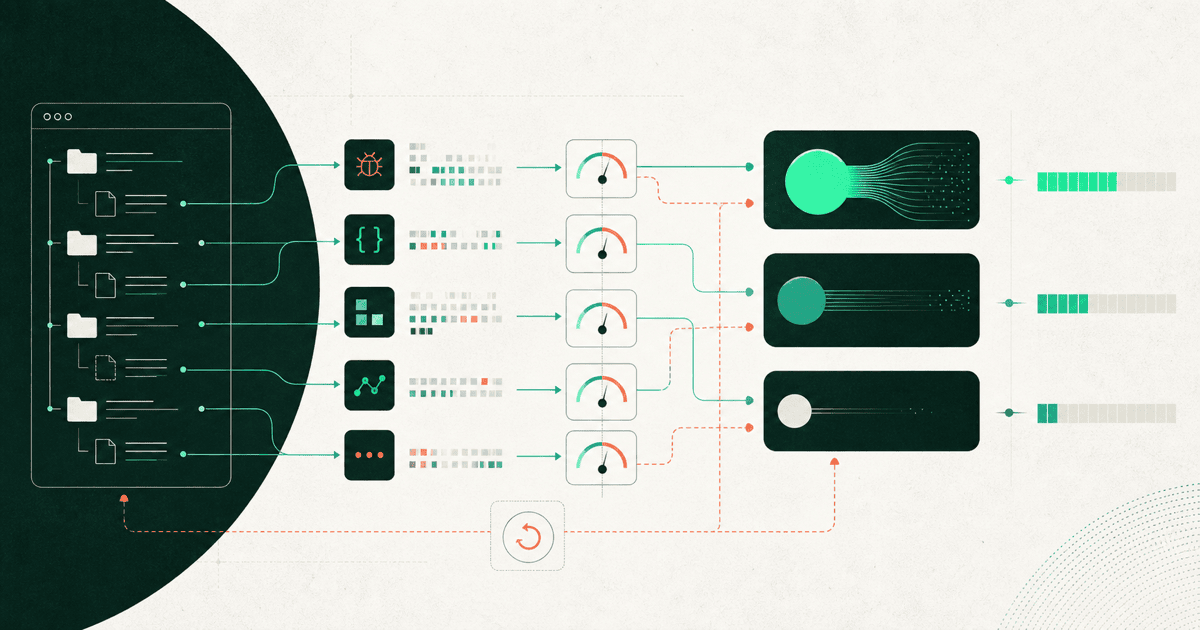
Aider can use an OpenAI-compatible endpoint through OPENAI_API_BASE, OPENAI_API_KEY and an openai/-prefixed model argument. The prefix selects the client integration; it is not necessarily part of the model ID accepted by the destination API. Start in a test repository and verify an actual edit, not only a chat response.
This is useful when your terminal workflow already suits Aider and you want to evaluate another model service without replacing the editor. Keep the model, edit format and repository context visible so a failed patch is diagnosable.
Configure the destination without leaking the key
Aider's compatible API guide documents the base URL and model prefix. Install Aider using its official installation instructions, then use an isolated shell environment. The following assumes KEEPROUTER_API_KEY and KEEPROUTER_MODEL were set securely before starting the shell session.
export OPENAI_API_BASE=https://keeprouter.com/v1
export OPENAI_API_KEY="$KEEPROUTER_API_KEY"
aider --model "openai/$KEEPROUTER_MODEL"
Choose KEEPROUTER_MODEL from the current model catalog. Aider receives an argument such as openai/<catalog-id>, while the catalog still owns the underlying ID. Do not combine an OpenRouter-specific namespace with a KeepRouter ID just because both clients use OpenAI-style requests.
Avoid putting a literal secret into a command you plan to share. Aider's API-key documentation lists supported credential locations. Keep populated environment or config files outside source control, and inspect generated diagnostic bundles before sending them anywhere.
Treat model warnings as configuration evidence
Aider may not recognize the cost, context window or edit settings for a custom model ID. Its model-warning guide explains the distinction between model metadata and model settings. A warning is not automatically a failed API connection, but ignoring it can make context handling or cost estimates misleading.
| Information | Why Aider needs it | Source to use |
|---|---|---|
| Context window | Controls how much material can fit | Exact model-route documentation |
| Input/output prices | Estimates request cost | Current service price and unit |
| Edit behavior | Interprets the model's proposed changes | Aider-supported model settings |
| Reasoning options | Changes request parameters | Both model and endpoint support |
Do not invent metadata merely to suppress a warning. If you enter price fields, confirm whether they expect dollars per token or per million tokens. A factor-of-a-million error can make a plausible usage report useless. The API service's actual charges remain the reconciliation source.
Use a patch fixture, not an open-ended assignment
Start a fresh branch of a small repository with a clean working tree. Add the one source file and its test needed for the task. Ask Aider to handle a missing edge case while preserving the public interface:
The parser accepts a comma-separated list of integers.
Add support for outer whitespace around each value.
Keep an empty element invalid: "1,,2" must still fail.
Change only the parser and its focused tests.
Explain the expected behavior before proposing edits.
The task has both a positive case and a negative case. A broad instruction such as “improve the parser” gives the model room to make changes that are hard to score. Check that the resulting diff trims spaces without accepting empty values or silently changing errors.
Run the tests independently after the edit. Aider returning code in its message is not proof that it applied the code to the right file. Keep the actual file diff and runner output with the evaluation record.
Diagnose edit failures separately from API failures
If authentication or model selection fails, fix the connection before changing edit settings. If text arrives but no patch applies, inspect the edit format and the model's response. Repeating a malformed edit can add cost without improving compatibility.
A model may write correct code but fail to express a patch in the form the client expects. Conversely, a patch can apply cleanly while introducing a wrong behavior. Keep those outcomes separate so you do not discard a capable model for a client-setting issue or accept a weak result because the patch parser succeeded.
Limit the task context to relevant files at first. Expand it only when a dependency matters. Passing the entire repository can increase cost and distract the model, while passing too little context can make it invent interfaces. The right amount is the code and evidence needed to complete the named change.
Compare complete attempts
An illustrative trial with six small edits should record accepted patches, failed applications, extra correction turns, total API charges and human review minutes. Six tasks are a debugging sample, not a performance leaderboard. Repeat difficult cases before treating a single success as typical behavior.
Keep the same repository revision and task wording for each candidate. If one run benefits from a previous model's explanation or an already-fixed test, the comparison is no longer controlled. Also count any auxiliary model calls made by the selected Aider workflow rather than counting the main answer only.
Use the coding cost guide for the accepted-task cost method and the cost calculator for a first estimate. A free text route can validate API access independently, but the production choice should be based on the actual coding model completing a scoped edit. Retain the previous working configuration until the replacement passes those checks.
Frequently asked questions
Is openai/ part of the KeepRouter model ID?
In the Aider command it selects the integration. Use the destination catalog ID after that prefix, and do not assume the prefix belongs in a raw API request.
Can I ignore an unknown-model price warning?
You can separate it from connection testing, but do not trust an incomplete cost estimate. Use documented metadata and reconcile with actual service charges.
What if Aider replies with code but edits nothing?
Inspect the edit format, selected model settings and actual response. A text answer does not prove patch application; verify the working-tree diff and tests.
Sources reviewed
Article last reviewed 2026-09-29