LLM Tool Calling: Build the Full Request-Result Loop
Build a tool-calling loop that preserves call IDs, validates arguments, handles streamed fragments, and stops repeated actions before they become costly.
Published 2026-09-29 · Updated 2026-09-29 · KeepRouter Editorial · 5 minute read
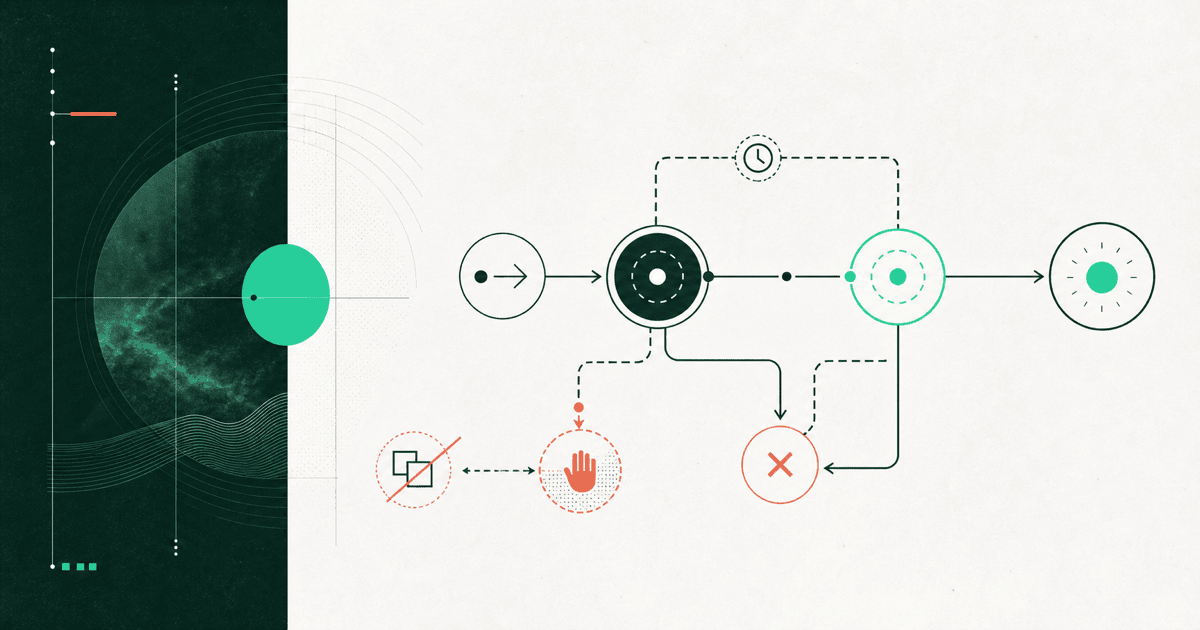
A tool call is a model request for your application to execute a named operation. The application validates and authorizes that request, runs the operation, then returns a result tied to the original call ID. The model can then answer or request another step. Returning a tool definition alone does not complete this loop.
For an agent that checks stock before answering a customer, the important test is whether the stock result reaches the final answer correctly. A model saying “I will check stock” is ordinary text unless the API returns the expected tool-call structure.
Preserve the conversation contract
The OpenAI function-calling guide documents the Chat Completions call-and-result format. Other protocols use different blocks and stop reasons; Claude's stop-reason guide describes its tool-use boundary. Do not mix a Messages tool-result block into a Chat Completions conversation.
| Step | Application responsibility | Evidence |
|---|---|---|
| Define tools | Expose a small allowed set | Name and parameter schema |
| Receive call | Preserve assistant message and call ID | Complete arguments |
| Validate | Check types, limits and user permission | Accepted or rejected decision |
| Execute | Call the permitted implementation | Result or explicit error |
| Return result | Attach it to the original call | Matching result ID |
| Continue | Obtain final answer or bounded next step | Finish state |
Store the assistant's tool-call message before appending the tool result. Dropping that message and sending an isolated result can make the conversation invalid. If several calls arrive, preserve their individual identities instead of returning one unlabelled block of text.
Test argument validation without an API request
This local example simulates a received Chat Completions call. It allows only a read-only stock lookup for two known SKUs. It makes no model or network request.
import json

stock = {"DEMO-A": 7, "DEMO-B": 0}
call = {
    "id": "call_demo_1",
    "function": {
        "name": "lookup_stock",
        "arguments": '{"sku":"DEMO-A"}',
    },
}
if call["function"]["name"] != "lookup_stock":
    raise ValueError("Unknown tool")
args = json.loads(call["function"]["arguments"])
if not isinstance(args, dict) or set(args) != {"sku"}:
    raise ValueError("Invalid arguments")
if not isinstance(args["sku"], str) or args["sku"] not in stock:
    raise ValueError("Unknown SKU")
result_message = {
    "role": "tool",
    "tool_call_id": call["id"],
    "content": json.dumps({"sku": args["sku"], "quantity": stock[args["sku"]]}),
}
print(result_message)
The next API request must include the preceding assistant call and this result in the correct history. Do not paste this isolated fragment into a conversation and expect the model to infer the missing call. In a real application, also validate that the signed-in user may read the requested inventory.
Wait for complete streamed arguments
Streaming tool arguments can arrive in pieces. An early fragment such as {"sku":"DE is not valid JSON and should not trigger execution. Accumulate fragments according to the protocol, keyed by call identity or index, and validate only after the argument payload is complete.
Do not use brace counting as a universal parser. Braces can occur inside strings, and several tool calls can interleave. Prefer the official SDK's event types when available, then test a stream containing split strings and multiple calls. A partial stream ending before the call completes is an incomplete request, not permission to guess the missing SKU.
Separate call IDs from business operation IDs
The API call ID links messages inside a conversation. A business operation ID prevents an external action from being repeated. They solve different problems. If the model requests the same refund twice with different call IDs, deduplicating only by call ID does not protect the customer account.
For side effects, create an application-owned operation identifier and enforce the expected state transition in your database. Verify user permission at execution time, not merely when the prompt is assembled. A valid JSON object can still request an unauthorized action.
Start integration tests with read-only tools. Add writes only after duplicate delivery, timeout and partial failure have defined outcomes. Model quality cannot replace those application guarantees.
Put a budget around the loop
Define a maximum number of tool rounds, total elapsed time and estimated spend for one user task. These are application policies, not hidden capabilities of a gateway. When a limit is reached, return a clear incomplete result and preserve enough context for the user to continue deliberately.
An illustrative task could allow three tool rounds and one final answer. Depending on how calls are grouped, that can require four model requests, plus tool-service requests. The task cost is the sum of all those attempts, including retries and failed tool executions where charges apply.
Watch for repeated identical arguments, alternating calls that make no progress, and a model that keeps requesting a tool after receiving its result. Those patterns often indicate missing state or an unclear tool description rather than a need for a larger model.
Evaluate the final outcome
Use fixtures for a known SKU, an unknown SKU, an out-of-stock item, invalid arguments and a user without inventory access. Check the final answer against the returned quantity, not against the model's confidence. A correct tool result followed by an invented availability claim is still a failed task.
Before using KeepRouter, confirm that the selected model and route support the necessary tools in the catalog and API reference. Use the migration checker for request configuration, then evaluate a harmless full loop. The structured-output guide covers record validation when you need data without executing an action.
Frequently asked questions
Does a tool call execute the function automatically?
Not in an application-managed tool loop. Your application validates and executes the operation, then sends a result associated with the call. Hosted tools may use a different contract.
Can I execute partially streamed arguments?
No. Wait for the complete payload, parse and validate it, and authorize the operation. An interrupted stream must not be completed by guessing.
Does tool_call_id prevent duplicate payments?
No. It associates conversation messages. Side effects need an application-owned idempotency or operation identifier and a checked business state transition.
Sources reviewed
Article last reviewed 2026-09-29