AI gateway security checklist: map the data path before trusting the control plane
An AI gateway can reduce secret sprawl and make policy consistent, but it also becomes a high-value intermediary. Review the exact request path, not the product category. The useful security question is which party can see or change each field, credential, route and log record during a normal request and an incident.
Published 2026-08-15 · Updated 2026-09-29 · KeepRouter Editorial · 5 minute read
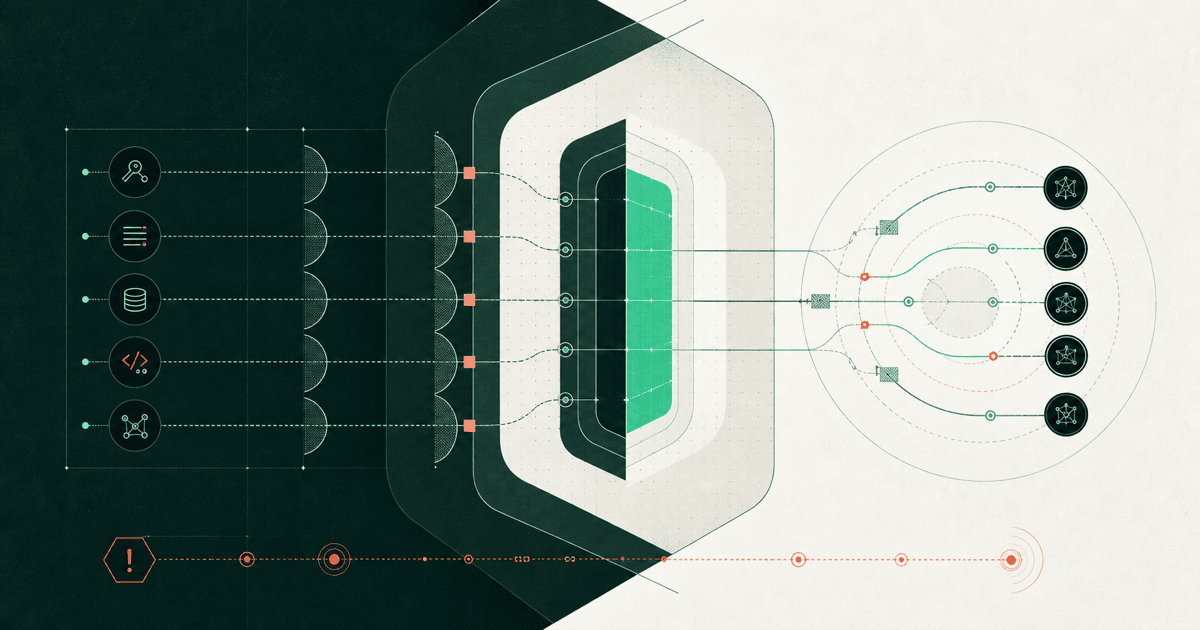
Short answer: treat an AI gateway as a trust boundary with access to model credentials, prompts, files, tool arguments, outputs and usage evidence. Centralization can improve least privilege and incident response. It can also increase the impact of one leaked key, policy mistake or logging exposure. Security depends on the configured route, plan and upstream provider, not on the word "gateway" in a product name.
Use this checklist during product evaluation and again before each major routing, logging or tool change. It is not a certification questionnaire. Each answer should point to a configuration, official contract, test result, architecture diagram or incident procedure.
1. Draw the request and credential path
Start with a real operation, not a generic box diagram.
| Hop | Data crossing the boundary | Credential used | Evidence to retain |
|---|---|---|---|
| User to application | Prompt, file, tenant and task context | User session or service identity | Application request and authorization decision |
| Application to gateway | Model request, tool schema and metadata | Gateway API key or workload identity | Gateway request ID and admission result |
| Gateway to provider | Transformed or native provider payload | Gateway-funded or customer BYOK credential | Provider route and upstream response identity where available |
| Provider to gateway | Stream events, usage, errors and model output | Upstream connection | Terminal state, measured units and error class |
| Gateway to application | Normalized response and billing evidence | Existing gateway session | Final model, charge, retry and fallback record |
Mark where TLS terminates, where request bodies are parsed, and which systems can write routing policy. If a managed service keeps upstream mappings private, document that as an intentional boundary rather than inferring provider identity.
2. Limit both gateway and provider credentials
Issue separate gateway keys for production, staging, services and high-risk workflows. Restrict model access and spend where the product supports it. Do not embed a broad key in a browser, mobile binary, public repository or user-controlled tool environment.
For BYOK, review two credential layers. Confirm where provider keys are encrypted, who can retrieve them, how rotation works, and what happens after revocation or quota exhaustion. Some gateways can fall back to their own funded credentials. That behavior can change the route, data path and invoice, so it belongs in the test plan. The BYOK answer lists the commercial checks.
3. Classify request data before enabling logs
Prompts can contain customer text, source code, secrets, personal data and retrieved documents. Tool arguments can be more sensitive than the visible prompt because they may include database keys, file paths or transaction details.
Decide which fields the gateway may retain, which must be redacted, and which must never leave application memory. Verify default logging, retention period, deletion path, backups, support access and subprocessors. A zero-data-retention provider route does not automatically disable gateway logging. A gateway setting does not automatically change the provider's contract.
4. Keep routing inside approved data boundaries
Provider failover can cross accounts, companies or regions. Model fallback can change safety behavior and tool output. Define a closed set of eligible routes for each data class, and make region or provider restrictions machine-enforced when they are hard requirements.
Record the requested model, final model, serving route evidence, retry attempts and policy version. Alert when failover frequency changes, even if requests still finish successfully. The LLM failover design guide covers the retry boundary.
5. Treat model output as untrusted input
A gateway cannot universally prevent prompt injection or unsafe tool use. Validate tool names and arguments against an application-owned schema. Apply authorization at execution time, not when the model proposes the action. Use stable operation IDs for side effects and require human review where the consequence cannot be safely reversed.
Separate content filtering from authorization. A response can pass a safety classifier and still contain an invalid invoice amount, file path or SQL fragment. OWASP's LLM application guidance is a useful threat catalog, while your own tool graph defines the actual authority.
6. Test tenant and environment isolation
Attempt to read another tenant's logs, usage, prompts and key metadata through every relevant API and dashboard role. Test predictable request IDs, export endpoints and support workflows. Confirm that staging cannot spend production credit or call production-only models.
For self-hosted gateways, include database row-level access, backup access, cache keys, metrics labels and log destinations. For managed products, verify organization, project and role boundaries in the plan you will buy.
7. Rehearse a credential and routing incident
- Revoke a gateway key and confirm requests stop promptly.
- Rotate a provider key without exposing it in logs or deployment output.
- Force an upstream timeout and inspect every retry or fallback.
- Cancel a stream after partial output and confirm the application state.
- Export the request evidence needed to explain model, usage and charge.
- Remove or redact retained prompt data and verify backups follow the policy.
- Roll back the policy change that caused the incident.
If the drill cannot answer who called what, which route served it, what data was retained and what it cost, the gateway is not yet an effective security control.
A safe fixture for checking tool authorization
In staging, give a synthetic user access to order A and ask the assistant to retrieve order B. The tool executor should deny the request based on the authenticated user's permissions, even if the model produces valid arguments. Repeat with a retrieved document that asks the assistant to ignore those permissions. No real customer records are needed. This tests the application control described by OWASP's LLM risk guidance; gateway authentication alone does not authorize a user's access to an order.
8. Record the residual responsibility
Managed does not mean outsourced security. The gateway operator secures its service; the customer still owns user authorization, prompt data classification, key scope, model evaluation, tool authority and acceptance of provider terms. Self-hosting adds infrastructure hardening, dependency updates, secrets, backups and on-call response.
Use is an AI gateway secure for the concise answer and managed versus self-hosted gateways to decide where the trust boundary should run.
Frequently asked questions
Can a security certification replace this review?
No. Certifications describe a control program. You still need the exact route, data, logging, retention, identity and provider configuration.
Should prompts be logged?
Only under a documented purpose, access policy, retention period and deletion process. Sensitive fields may need redaction or no logging.
Does BYOK keep data away from the gateway?
Not necessarily. The gateway may still parse and log requests while using your provider credential.
What is the highest-risk gateway key?
A long-lived key with access to many models, high spend and several environments creates the largest avoidable blast radius.
Sources reviewed
Article last reviewed 2026-09-29
- [1] OWASP Top 10 for LLM applications
- [2] NIST AI Risk Management Framework
- [3] Cloudflare AI Gateway data loss prevention
- [4] Vercel AI Gateway authentication and BYOK
- [5] KeepRouter security and data handling